Who it’s for
With no analyst beside the user, the interface has to explain the numbers itself.
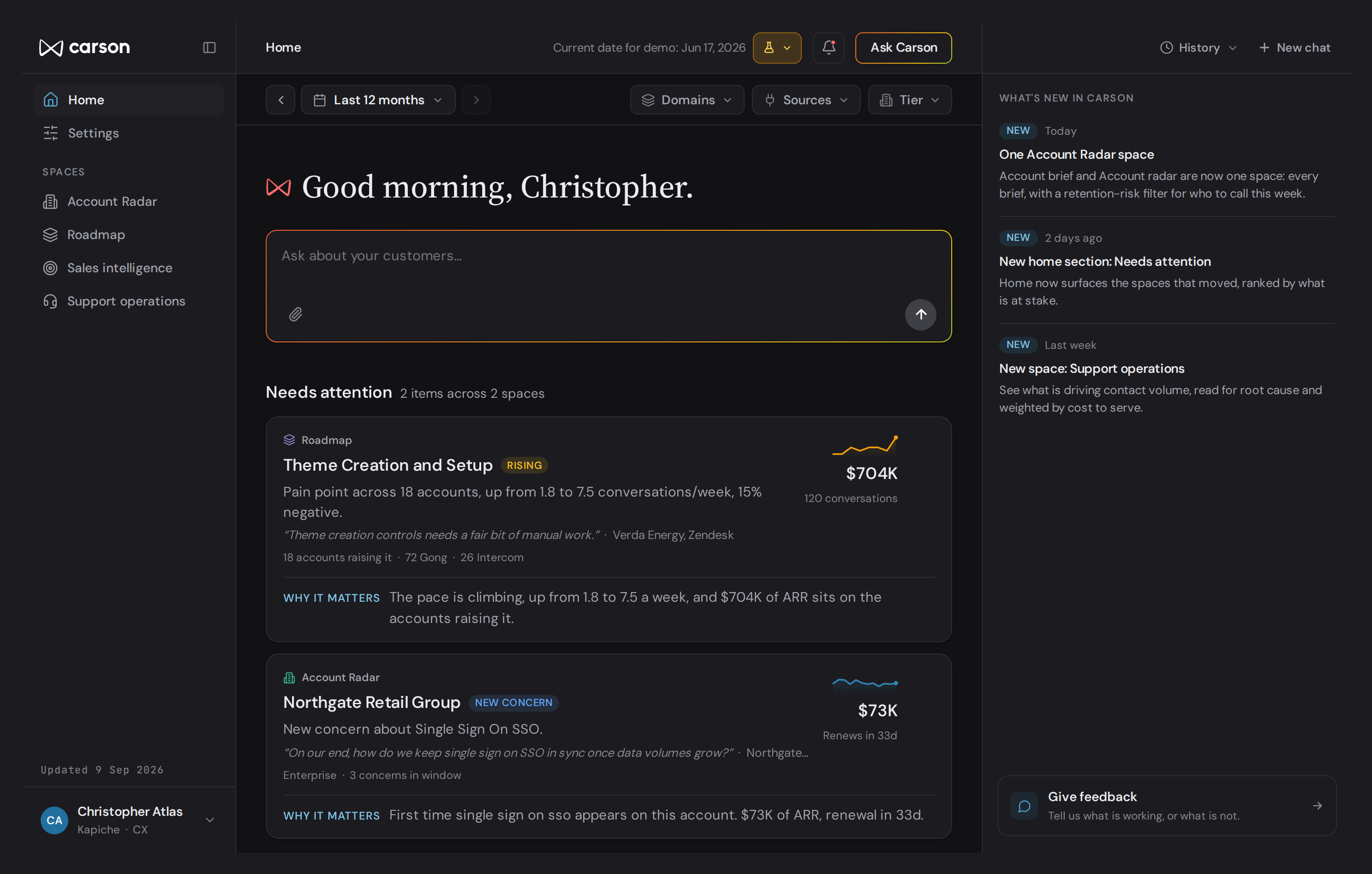
Carson’s audience shaped almost every decision in the interface. A product-led tool has no analyst, onboarding team or customer success manager standing beside the user to explain what the numbers mean, where to look first or what to ask next. The interface has to do all of that on its own.
It is also the other side of a problem I had been working on at Kapiche for years. Kapiche was built for insights and CX analysts, and a good deal of my work there involved protecting the managers and executives who used it occasionally from complexity that existed for someone else. Carson starts from those people instead.
How I tested it
The decisions below started from what I had learned 01watching non-analysts struggle with Kapiche. I then 02built them as working HTML prototypes and 03tested them over two rounds with five existing Kapiche customers who looked like Carson’s ideal customer, the less technical people who would be setting it up on their own.
Show the conclusion first, instead of a feed
Each card gives the conclusion first and the evidence underneath.
The principle running through the product is that a number never appears without an explanation of why it matters. The question for the home screen was how to deliver that without overwhelming someone who has no training in reading the data.
- Considered
- A feed of everything that changed. It would have been the more complete view, but it hands the user a stream of updates and leaves them to work out which ones matter.
- Chose
- Anything that has moved enough to need attention appears as a card with a sparkline rather than a full chart, a real customer quote as evidence, and a plain-language line spelling out the consequence. The user gets the conclusion first and the working underneath it. That is the opposite of a traditional dashboard, which shows everything and leaves the interpretation to whoever happens to be looking.
- Trade-off
- The screen shows less. The cards only surface what has moved enough to need attention, so completeness gives way to focus.
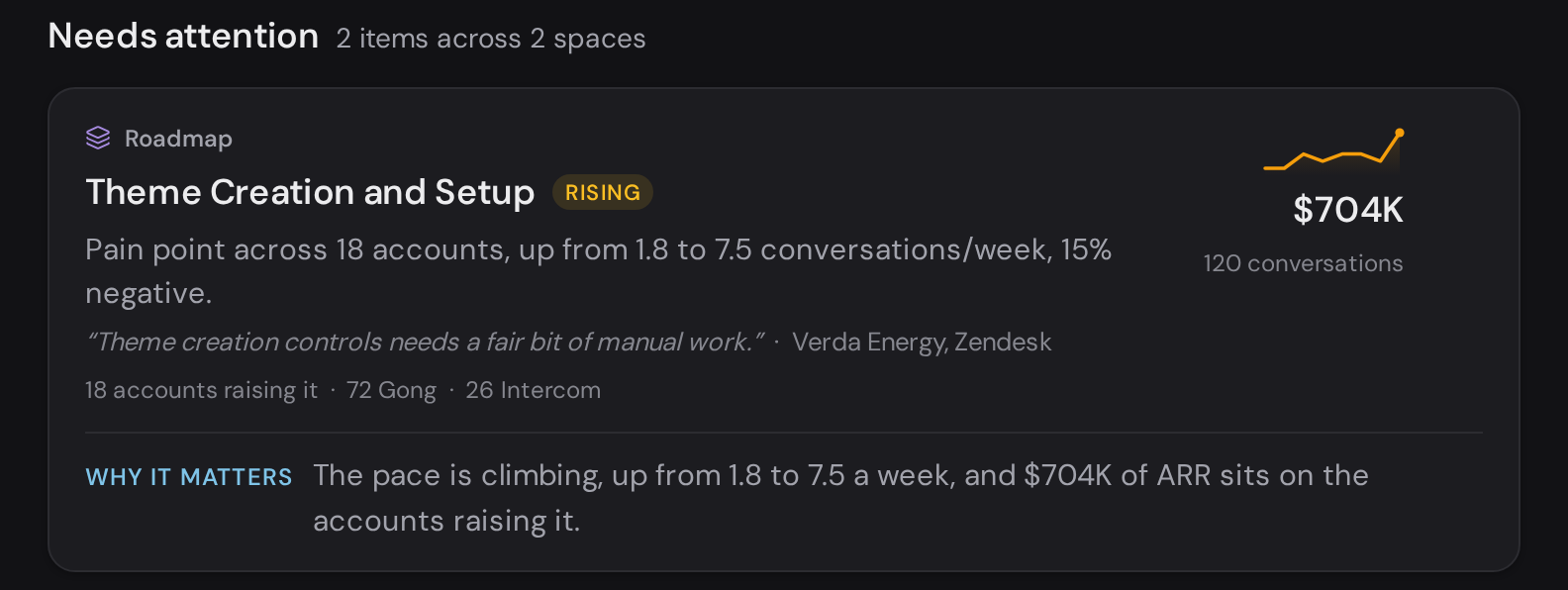
- 01What moved. The theme, its space, and a Rising tag.
- 02How fast. 1.8 to 7.5 conversations a week, as a sparkline.
- 03Evidence. A customer quote and the accounts it came from.
- 04What’s at stake. $704K of ARR on the accounts raising it.
- 05Why it matters. One line joining the pace and the money.
Rank by revenue at stake
Revenue is the one measure every team already agrees on.
Once the home screen and each space showed several signals at once, something had to decide the order, and the user was the person least equipped to do it.
- Considered
- Ranking by volume or sentiment instead. In testing, customers responded much more positively to ranking by ARR.
- Chose
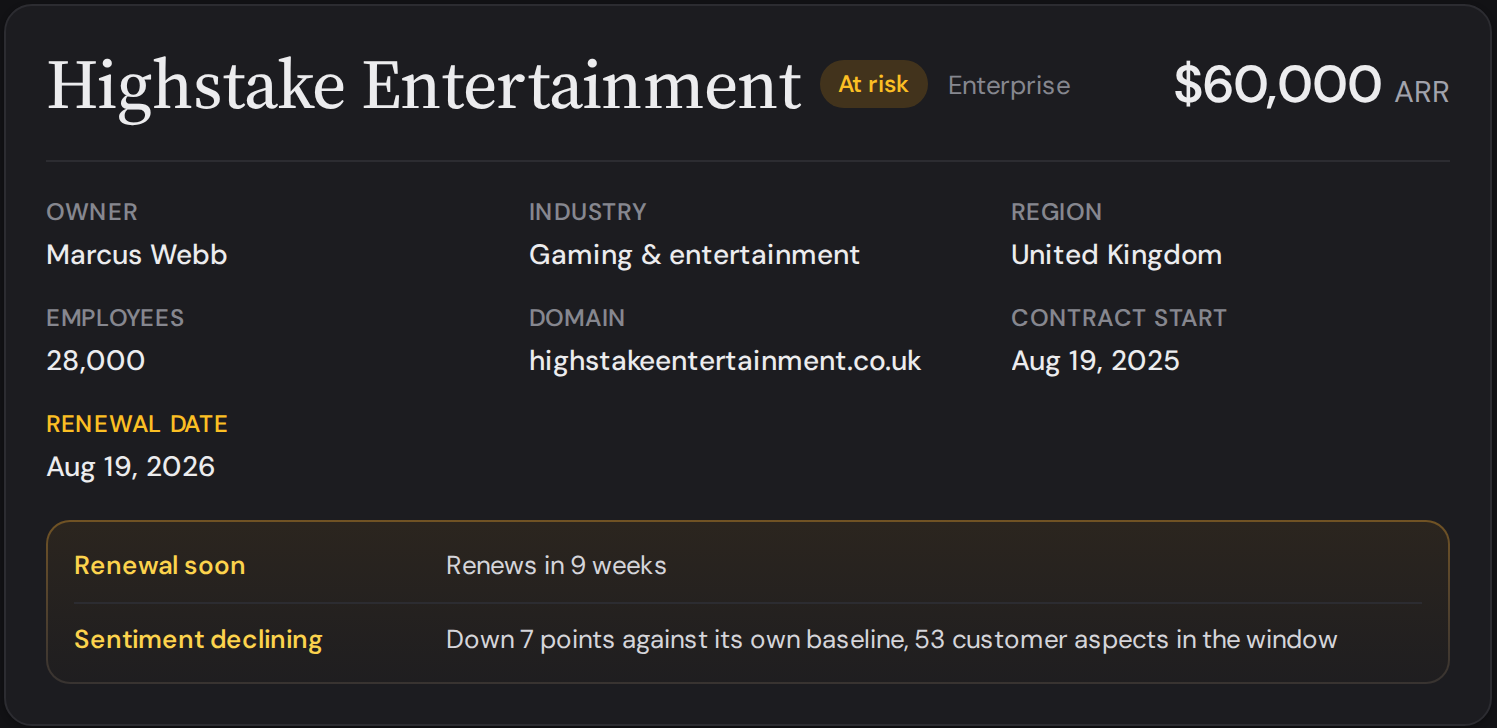
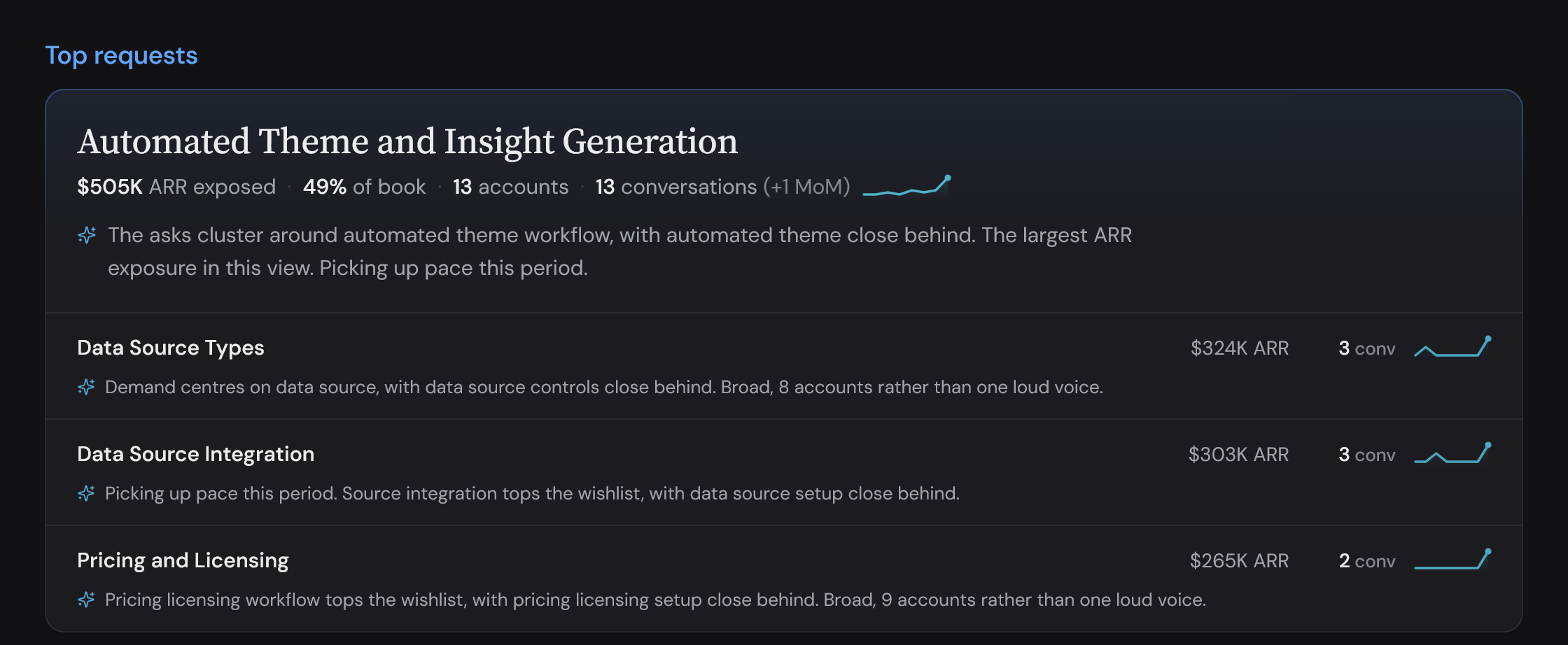
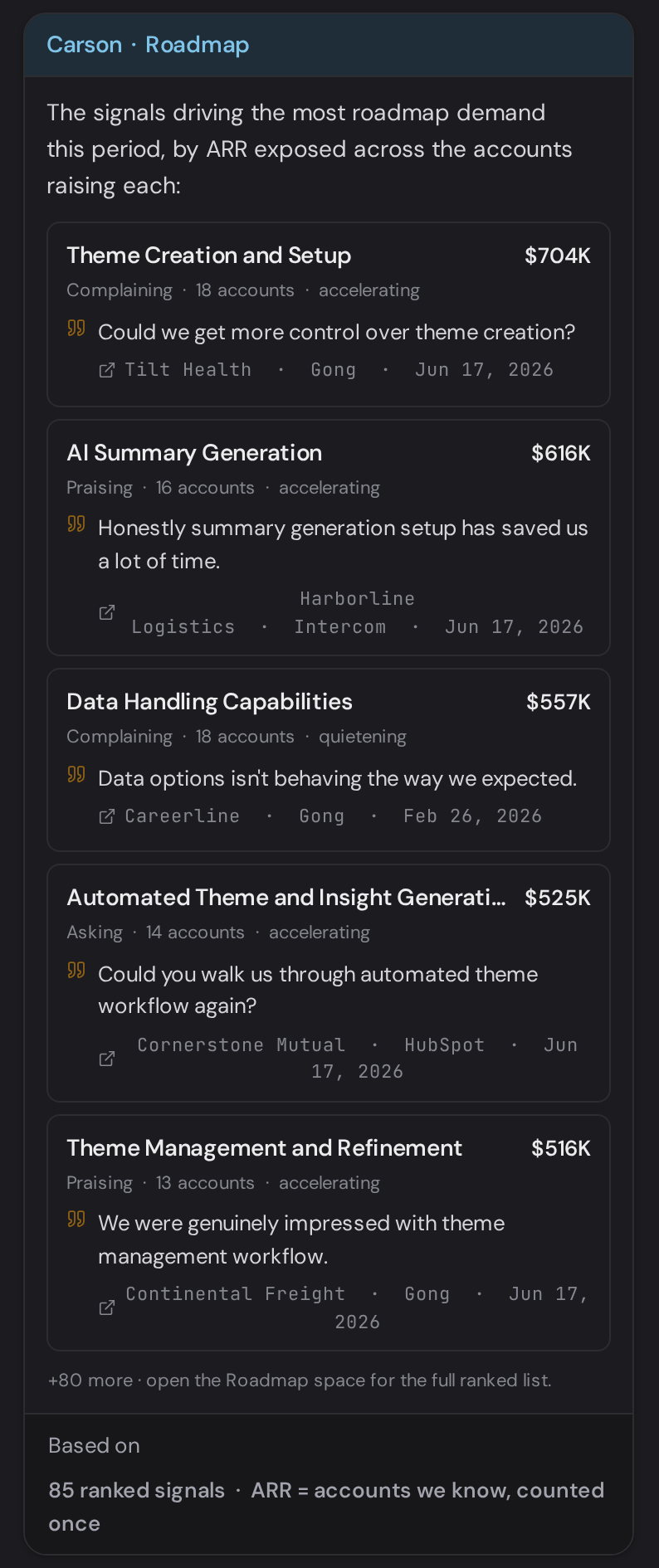
- Everything is ranked by the revenue at stake by default. For someone without the time or training to judge which signal matters most, money is the one measure every team in a business already agrees on.
- Trade-off
- Ranking by revenue can bury small accounts and early signals. A Rising tag marks anything growing quickly, whatever its revenue, so it surfaces before it is large. The ranking is also a default rather than a rule, so anyone who wants to sort by pace or volume still can.
Curated spaces, not a full analysis suite
Each team lands on a space already shaped around its role.
Kapiche came first, with smart reports, dashboards and a full analysis suite. Carson needed to be a more streamlined interface for people who would never use most of that.
- Considered
- Carrying Kapiche’s model across: one large dataset to explore, with reports and dashboards built on top of it.
- Chose
- Carson divides the data into spaces built around the questions particular teams bring to it, with Roadmap for product and Account Radar for customer success alongside Sales intelligence and Support operations. Each space only shows important, automatically curated information. As a result, each person lands somewhere already shaped around what their role cares about.
- Trade-off
- Free exploration stays in Kapiche. Carson gives up depth in exchange for a starting point that doesn’t need configuring.




Chat beside the screen, not chat-first
Suggested questions teach the product without a tutorial.
For a non-technical user the hardest part of analysis is often knowing what to ask in the first place.
- Considered
- A chat-only or chat-first product. It gives the user a blank slate, which can feel overwhelming when there is so much data to digest.
- Chose
- The chat panel sits beside the structured interface rather than replacing it. It knows which screen the user is on, so its suggested questions change with context. Someone looking at the roadmap is offered an explanation of what is driving the most roadmap demand. The combination lets users be guided by the screen but also ask questions as they go. Suggesting the question teaches the product without resorting to a tutorial.
- Trade-off
- A panel beside the screen has less room than a full-page chat, so longer answers are more cramped. Someone who only wants to ask questions still lands on a structured screen first.
Where it stands
Carson was still in development when I left Kapiche, with a pilot group of Kapiche customers about to start using it. This case study covers design decisions rather than measured results.